
How to write a Twitter thread on X (2026): step by step
xVirals · Updated · 7 min read
A thread is a series of connected posts from one account. It is how you say something on X that does not fit in one post without paying for longer posts. This guide shows the exact steps from X's help center, how threads appear to your followers, how to write one people finish, and a free tool that splits a long text into a ready thread.
What is a Twitter thread?
X's help center defines a thread as “a series of connected posts from one person”. You use it to add context, post an update or make a longer point by connecting several posts together. In Turkish, people on X call it a “flood”; X's own Turkish interface calls it a “post dizisi”.
Every post in a thread is a normal post: it can be liked, reposted and quoted on its own, and each one has the usual character limit. What connects them is that each post replies to the one before it.
How to post a thread on X, step by step
These steps follow X's help page and work the same on iOS, Android and desktop.
- Tap or click the compose button to start a new post and write your first post.
- Tap the highlighted plus icon to add the next post. It lights up once the current post has text.
- Repeat for each post. If a post goes over the character limit, X highlights the extra text so you can edit it before posting.
- To remove one post, tap its gray delete icon. The blue delete icon removes the whole thread.
- When every post is ready, tap Post all.
Before you tap Post all
0/5Tick each line that is true for your account.
Split a long text into a thread automatically
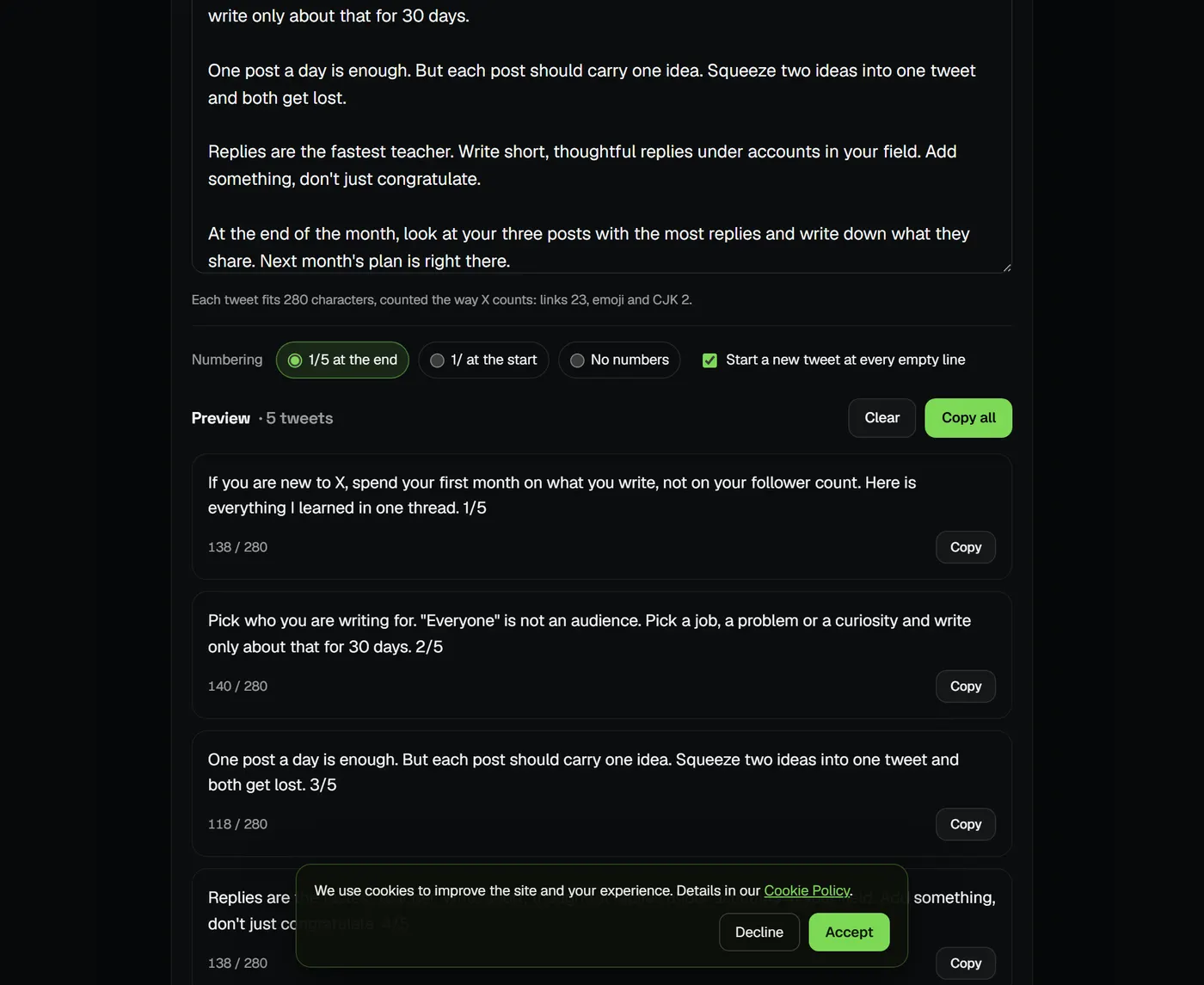
If you already have the text — a note, a blog intro, a long post you drafted elsewhere — you do not have to cut it by hand. The free Twitter thread generator splits it into numbered posts that each fit 280 characters, counting the way X does (links as 23, emoji as 2). It breaks at paragraphs and sentences instead of mid-word, and can start a new post at every blank line.
How threads appear in the timeline
According to X, a thread of 2 or 3 posts from someone you follow generally shows in the timeline as a connected bundle. With 4 or more posts, the posts are truncated and readers see a Show this thread link. On your profile, the posts of a thread appear as separate posts, newest first, each with the same link.
In practice that means most people decide from the first post alone whether to open the rest. Write it so it makes sense and makes a promise even if nobody taps further.
| Format | Length | Who can use it | Best for |
|---|---|---|---|
| Single post | 280 characters | Everyone | One idea, one reaction |
| Thread | 280 per post, number of posts not stated by X | Everyone | Steps, stories, lists, long arguments |
| Long post | Up to 25,000 characters | X Premium subscribers | One continuous text that reads best unbroken |
How to write a thread people finish
- Make the first post stand alone. Say what the reader gets and why it matters to them. It is the only post most people see.
- One idea per post. If a post needs “and also”, it is probably two posts.
- Number the posts or not, but be consistent. “1/5” tells readers how long the thread is; a 🧵 at the end of the first post signals there is more. Neither is required.
- Show, don't only tell. An image, a screenshot or a short example in the middle gives the eye a break.
- End with a summary or a question. The last post is where people decide to reply, so give them something to answer.
- Put links near the end. Lead with the content; add the link in the last post or a reply once the thread has made its point.
Your name @you · 1/5
If you are new to X, spend your first month on what you write, not on your follower count. Here is everything I would do again 🧵
Your name @you · 2/5
Pick who you are writing for. “Everyone” is not an audience. Pick a job, a problem or a curiosity and write only about that for 30 days.
Your name @you · 3/5
One post a day is enough. But each post should carry one idea. Squeeze two ideas into one tweet and both get lost.
Your name @you · 4/5
Replies are the fastest teacher. Write short, thoughtful replies under accounts in your field. Add something; don't just congratulate.
Your name @you · 5/5
At the end of the month, look at your three posts with the most replies and write down what they share. Next month's plan is right there.
How to add to a thread after posting
Open your thread and use Add another post on the thread detail page. Only the author sees this option. On mobile you can also start a new post, pull down the compose window and choose Continue thread to attach it to your last post.
Writing threads with AI
A general chatbot will happily write a thread, but it tends to sound like every other AI thread: the same openers, the same rhythm, details you never said. xVirals learns your style from your own public posts and drafts threads, posts, replies and quotes in that voice; you edit and post them yourself. If you only need to split text you already wrote, the thread generator is free and needs no account.
Frequently asked questions
How many posts can a Twitter thread have?
X's help pages do not state a maximum number of posts per thread. Each post in it has its own limit of 280 characters, or 25,000 with X Premium.
How do I add a post to an existing thread?
Open the thread and choose Add another post on the thread detail page; only the author sees it. On mobile you can also use Continue thread from the compose window.
Why does my thread only show the first post?
When a thread has 4 or more posts, X truncates it in the timeline and shows a Show this thread link. Readers have to tap it to see the rest, so the first post should work on its own.
Should I number the posts in a thread?
It is optional. Numbers like 1/5 tell readers how long the thread is; many people use a 🧵 emoji instead. The thread generator can add numbers at the start or end, or none.
Is a thread better than one long post?
They suit different things. Anyone can post a thread, and each post can be shared on its own. A long post of up to 25,000 characters needs X Premium and reads as one continuous text.
What is a “flood” on Twitter?
Flood is the word Turkish users use for a thread: a series of connected posts from one account. X's Turkish interface calls it a “post dizisi”.