
LinkedIn post ideas (2026): 38 ideas, a structure and example posts
xVirals · Updated · 9 min read
Most people do not stop posting on LinkedIn because they have nothing to say. They stop because every post starts from a blank box. This guide gives you 38 concrete post ideas grouped by what you are trying to do (find a job, win clients, build a product, learn in public), a simple structure that works for almost any of them, six full example posts, formatting tips and a free tool that drafts a post from your idea.
A structure that works for almost any LinkedIn post
Before the ideas, the shape. Almost every good LinkedIn post has three parts. The table shows what each one does and what to avoid.
| Part | What it does | What to avoid |
|---|---|---|
| Hook (first line or two) | Says what the post is about and gives a reason to tap “see more”: a result, a mistake, a question, a surprising fact from your own work | A greeting, a vague teaser (“Something amazing happened”), or an opening that needs the rest to make sense |
| Body | One idea, told with specifics: what you did, what happened, what you learned. Short paragraphs, plain words | Several ideas at once, jargon, a wall of text, claims you cannot back up |
| Closing line (CTA) | One clear thing: a question to answer, a takeaway to remember, or a single invitation | Begging for likes, tagging strangers, three different asks in one post |
Post ideas for job seekers
- The project you are proudest of, in four sentences: the problem, your part, the outcome, what you would redo.
- What you learned from a job application process that did not work out.
- A skill you are learning right now and how you are practicing it.
- A short “how I would explain my job to a friend” post.
- Three things you wish you had known before your first job.
- A thank-you to a person who helped you, with the specific thing they did.
- What kind of role you are looking for, in plain words, and what you can offer.
Post ideas for founders
- Why you started the company, in the words you would use with a friend.
- A decision you got wrong and what it cost you in time.
- A customer problem you heard five times, and what you built because of it.
- What you changed in the product this month and why.
- How you handle a routine part of the business that others find hard: hiring, pricing, support.
- A behind-the-scenes look at a normal workday or week.
- A lesson from a conversation with a customer, written without naming them.
Post ideas for freelancers and consultants
- A before-and-after of the kind of problem you solve, described without client names.
- Your process in steps, from first call to delivery.
- A mistake a client usually makes at the start and how to avoid it.
- The questions you ask on a first call, and why.
- A short “what I charge for and why” explanation of how you think about pricing.
- A tool or checklist you use every project, shared as a list.
Post ideas for developers and technical people
- A bug that took you hours and the one-line cause.
- A tool or library you tried this month and your honest verdict.
- How you explain a technical concept to a non-technical colleague.
- A project you built over a weekend and what you learned from it.
- Code review habits that made your team better.
- Something you got wrong early in your career, told without embarrassment.
Post ideas for marketers and creators
- A campaign or content experiment that did not work, and what you learned from the data you did have.
- Your content process: how you go from idea to published post.
- An example of a message that you rewrote, with the before and after.
- A tool in your stack and the job it does for you.
- A question your audience asks over and over, answered in one post.
- A lesson from reading a book, a podcast or a talk, applied to your own work.
Post ideas for students and early-career people
- What you are studying and the one idea that surprised you this month.
- A project from a class or a side project, with what you would do next.
- How you prepare for exams or interviews, in steps.
- A person or a book that changed how you think about your field.
- A summary of an event, a talk or a course you attended, with the one thing you will use.
- A question you are stuck on, asked openly to people in the field.
6 example posts you can copy the shape of
These are generic examples written for this guide. They contain no real people, companies or results; swap in your own details, because the specifics are what make a post believable.
Your name @you · 1/6
I got turned down for a role I really wanted. The feedback was kind and specific: my portfolio showed finished screens but not how I decided anything. So I rewrote one case study around the decisions: what I tried, what I dropped and why. The next interview felt different because I had something to talk about besides the final result. If you are applying right now, what part of your work is hard to see from the outside?
Your name @you · 2/6
Our first pricing page was a guess. We listed what we thought customers would pay, not what they told us. After a few customer calls we noticed they all asked the same question before buying: “What happens when I run out?” We added one sentence that answered it. Fewer questions followed. My takeaway: your customers are already writing your copy. You just have to listen for the repeated question.
Your name @you · 3/6
Three questions I ask on every first client call: 1. What does a good result look like in 90 days? 2. What have you already tried? 3. Who else needs to say yes? The third one saves the most time. A proposal nobody can sign is just a document. What do you ask on a first call?
Your name @you · 4/6
A bug cost me four hours last week. The cause was one line: I compared a string to a number and the code quietly treated them as different. I only found it when I wrote the failing case as a test instead of staring at the code. Next time I will write the test first. What is the slowest bug you ever tracked down?
Your name @you · 5/6
I rewrote one message today. Before: “We offer a comprehensive suite of solutions for your needs.” After: “We help small teams send their weekly update in ten minutes.” The second says who it is for and what it does. The first could be about anything. Try it on your own sentence. If it could describe a competitor, it is not specific yet.
Your name @you · 6/6
This month in my data course, one idea changed how I read charts: always ask what is missing from the axis. A chart can be perfectly true and still mislead if it starts at a convenient number. I am now checking the axes of every chart I see. What is a small habit you picked up from a course?
Formatting that makes a post easier to read
Ready to post on LinkedIn?
0/5Tick each line that is true for your account.
- Front-load the point. LinkedIn shows only the first lines of a post before “see more”, and the exact cut depends on the device. Put the hook there.
- One thought per line, short paragraphs. White space makes a post easy to skim on a phone.
- Use bold and italic sparingly. LinkedIn's post box has no formatting buttons, so formatted text is made from special Unicode characters. The LinkedIn text formatter converts your text. Use it for a heading or one key phrase, since some screen readers read these characters badly.
- Keep hashtags few and relevant. LinkedIn does not publish an official number. A few at the end that name the topic is a reasonable habit.
- Stay under the limit. A post can be up to 3,000 characters. If your idea needs more, split it into two posts or write an article.
Drafting posts faster with AI
Staring at the box is the slow part. The free LinkedIn post generator turns an idea from the lists above into a draft with a hook, a body and a closing line, with no account needed. Edit it so it sounds like you and contains your own details. xVirals goes further and learns your writing style from your own posts, so drafts sound like you from the first line. It never posts for you.
LinkedIn post generatorDescribe your topic and get two free AI-written LinkedIn drafts with a hook and short paragraphs. 3 a day, no sign-up.Try it free →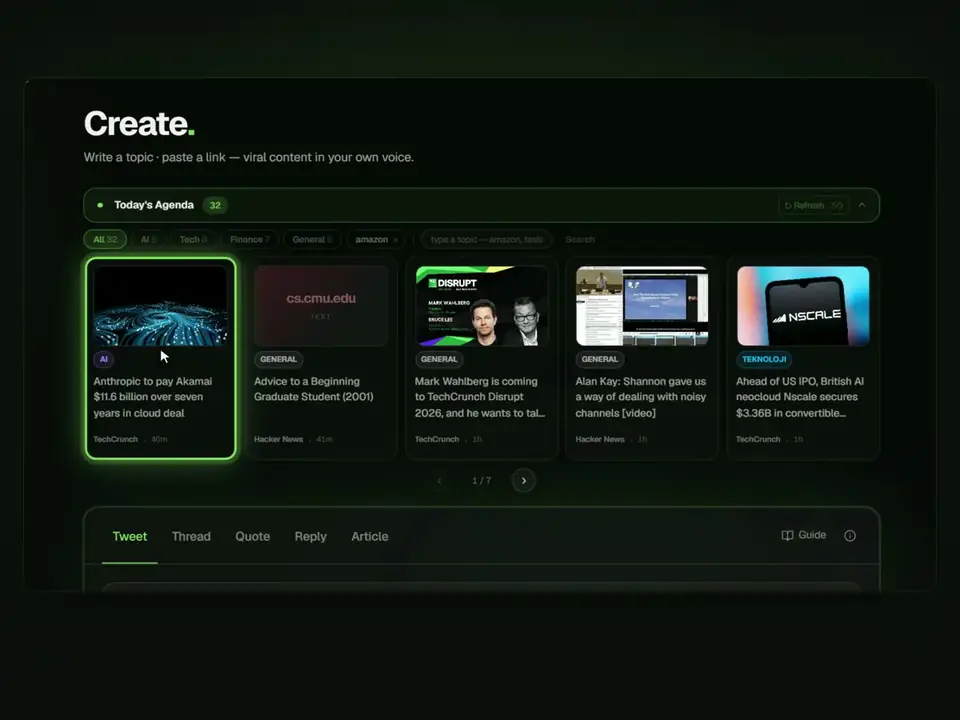
Frequently asked questions
What should I post on LinkedIn?
Post about your own work: something you learned, a project, a mistake, a decision or a question you are working through. Pick one idea from the lists above that matches your goal and write it with one specific detail.
How long should a LinkedIn post be?
A post can be up to 3,000 characters, and longer content belongs in an article, according to LinkedIn. Within that, shorter is usually easier to read on a phone; use as many words as the idea needs and no more.
How many hashtags should I use?
LinkedIn does not publish a recommended number. A few relevant hashtags at the end that name the topic is a common habit; stuffing a post with many is not helpful.
How often should I post on LinkedIn?
There is no official schedule. A rhythm you can keep is better than a burst you cannot: for many people that is once or twice a week. Consistency matters more than volume.
Can AI write my LinkedIn posts?
AI can write a draft, which is useful when the box is blank. A raw AI post is generic and easy to spot, so treat the draft as a structure and add your own story, a real detail and your voice before you post.
Should I write LinkedIn posts in English or my own language?
Write in the language your audience reads. If your network and the people you want to reach are in Turkey, Turkish usually reads more naturally. If you are applying abroad or working with international teams, English fits. Many people post in both, as separate posts.